---
title: Defining Routes
description: Learn how to create your first route in Next.js.
url: "https://nextjs.org/docs/14/app/building-your-application/routing/defining-routes"
docs_index: /docs/14/llms.txt
lastUpdated: 2023-06-12
prerequisites:
- "Building Your Application: /docs/14/app/building-your-application"
- "Routing: /docs/14/app/building-your-application/routing"
related:
- /docs/14/app/building-your-application/routing/pages-and-layouts
---
> For an index of all documentation, see [/docs/14/llms.txt](/docs/14/llms.txt).
> We recommend reading the [Routing Fundamentals](/docs/app/building-your-application/routing) page before continuing.
This page will guide you through how to define and organize routes in your Next.js application.
## Creating Routes
Next.js uses a file-system based router where **folders** are used to define routes.
Each folder represents a [**route** segment](/docs/app/building-your-application/routing#route-segments) that maps to a **URL** segment. To create a [nested route](/docs/app/building-your-application/routing#nested-routes), you can nest folders inside each other.
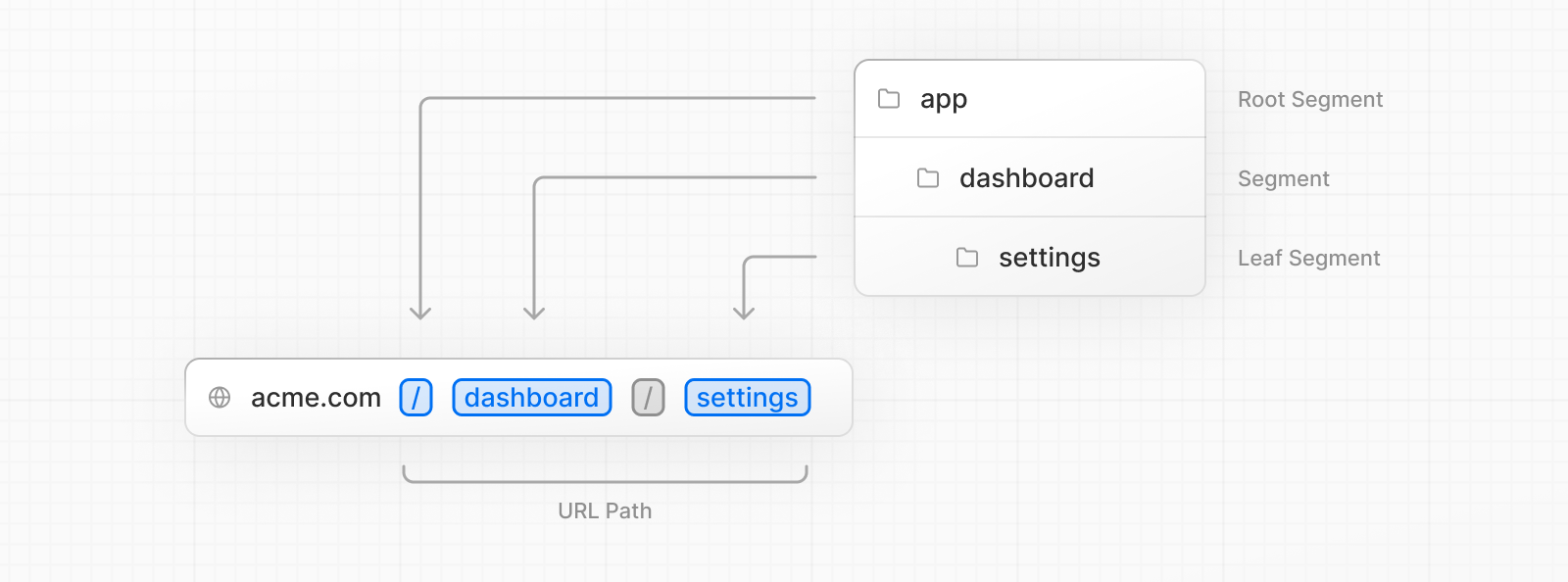
A special [`page.js` file](/docs/app/building-your-application/routing/pages-and-layouts#pages) is used to make route segments publicly accessible.

In this example, the `/dashboard/analytics` URL path is *not* publicly accessible because it does not have a corresponding `page.js` file. This folder could be used to store components, stylesheets, images, or other colocated files.
> **Good to know:**
>
> `.js`, `.jsx`, or `.tsx` file extensions can be used for special files.
## Creating UI
[Special file conventions](/docs/app/building-your-application/routing#file-conventions) are used to create UI for each route segment. The most common are [pages](/docs/app/building-your-application/routing/pages-and-layouts#pages) to show UI unique to a route, and [layouts](/docs/app/building-your-application/routing/pages-and-layouts#layouts) to show UI that is shared across multiple routes.
For example, to create your first page, add a `page.js` file inside the `app` directory and export a React component:
**TypeScript**
```tsx title="app/page.tsx"
export default function Page() {
return Hello, Next.js!
}
```
**JavaScript**
```jsx title="app/page.js"
export default function Page() {
return Hello, Next.js!
}
```
Learn more about creating pages and layouts.
- [Pages and Layouts](/docs/14/app/building-your-application/routing/pages-and-layouts): Create your first page and shared layout with the App Router.
---
For a semantic overview of all documentation, see [/sitemap.md](/sitemap.md)
For an index of all available documentation, see [/docs/14/llms.txt](/docs/14/llms.txt)